Sendfetti for Android
- Android 8.0 and newer
- On Google Play, which keeps it up to date
- Sends to phones, PCs, and through a web page to iPhones and computers
Sendfetti runs on Android phones, Windows PCs and Linux PCs. Pick yours to see what it needs and how to install it.
There's no app for iPhone or Mac. They can still swap files with an Android phone through a web page the phone shares. Which devices work

All of them are version 1.0 and work together. The build number goes up with each update.
| Version | Get it | Size | Runs on | Updates |
|---|---|---|---|---|
Sendfetti for AndroidVersion 1.0 | Google Play | Shown on Google Play | Android 8.0 and newer | Through Google Play |
Sendfetti for WindowsDownload from this site · 1.0 (build 5) | Sendfetti.exe | 2.3 MB | Windows 10 (version 2004) and 11, 64-bit, with Wi-Fi | Checks once a day and asks before installing |
Sendfetti for WindowsMicrosoft Store · 1.0 | Microsoft Store | Shown in the Store | Windows 10 (version 2004) and 11, 64-bit, with Wi-Fi | Through the Microsoft Store |
Sendfetti for LinuxDownload from this site · 1.0 (build 5) | sendfetti_amd64.deb | 0.7 MB | Ubuntu 22.04, Debian 12, Linux Mint 21 and newer, and other Debian-based systems; 64-bit, with Wi-Fi | With your other software updates |
The web pageFor iPhones, iPads and computers without Sendfetti | Nothing to install: an Android phone with Sendfetti shares it | None | Any recent browser. The phone sharing it needs Android 10 or newer. | Comes with the phone's app |
A few minutes on each device. You need Sendfetti on both phones, or on the phone and the PC.
Android 8.0 or newer. Bluetooth is used to find the other phone, and Wi-Fi for the transfer itself.
Sendfetti is coming soon to Google Play. Once it's there, this step links straight to it: search for Sendfetti in Google Play and tap Install.
Allow Nearby devices and Location so Sendfetti can find phones near you. Android asks for Location before any app can look for nearby devices; Sendfetti never reads or stores where you are.
Notifications are optional. On Android 12 and older, it also asks for access to files so it can save what you receive.
Do the same on the other phone. Then tap Connect to a device on both, tap the other phone's name on one of them, and check that both show the same 4-digit code.
Windows 10 (version 2004) or Windows 11 on a 64-bit PC with Wi-Fi. A PC with only a cable connection can't make or join the phone's Wi-Fi network.
It's a single file with nothing to install. Keep it in a folder you won't clear out, like Documents: updates replace the file where it is.
The first time, Windows may say “Windows protected your PC”. Click More info, then Run anyway. The download isn't signed yet; the Microsoft Store version will be.
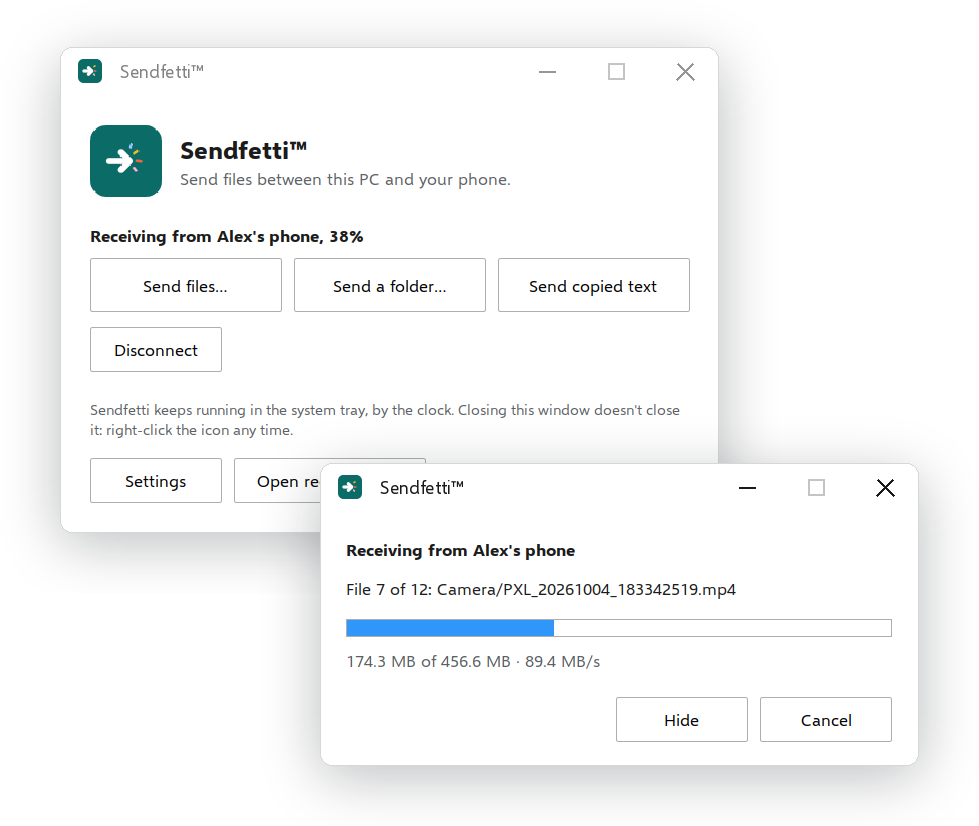
Sendfetti waits in the system tray. If you don't see the icon, click the ^ arrow by the clock. Right-click the icon to connect to a phone or send files.
The first time you create a QR code, Windows Firewall may ask whether Sendfetti can use networks. Tick both boxes and click Allow. If a phone still can't get in, the code window has an Allow through Windows Firewall button.
In Settings, tick Start Sendfetti when you sign in to Windows.
Ubuntu 22.04, Debian 12, Linux Mint 21 or newer, or another Debian-based system, on a 64-bit PC with Wi-Fi.
It goes to your Downloads folder.
Open a terminal in your Downloads folder and run this line, then type your password when asked:
sudo apt install ./sendfetti_amd64.debapt adds anything else Sendfetti needs, and also adds Sendfetti's update source.
It opens in a window like any other app. Create a QR code there, or scan the phone's code with the PC's camera. You can also drop files on the window to send them.
With ufw switched on, Sendfetti shows the exact line to run under the QR code so phones can reach it, such as sudo ufw allow 47575/tcp.
Google Play updates Sendfetti along with your other apps.
The download checks sendfetti.com once a day. When there's a newer build, a notification says so, and Install update appears in the tray menu and in Settings. It checks the new file's signature before using it. You can turn the daily check off in Settings. The Microsoft Store version is updated by the Store.
Installing the .deb adds Sendfetti's signed update source, sendfetti.com/apt, so new builds come through Software Updater or apt upgrade with everything else.
Phones find each other over Bluetooth and send over a direct Wi-Fi link. QR codes, PCs and the web page use a Wi-Fi network the phone or PC makes, which needs Android 10 or newer.
Optional. If a file's SHA-256 checksum matches the one here, it's exactly the file on this site.
7e8f5f56706c0174fab808840f95f597f07ee0607383228be887391b775468fbIn PowerShell, in the folder with the file: Get-FileHash .\Sendfetti.exe
864cdda8941868e9c7bf4c6b1aed581588e5d0126fa82d39262cb4cdd70abdbdIn a terminal, in the folder with the file: sha256sum sendfetti_amd64.deb
Email support@sendfetti.com and say which device and version you have. On a PC, Settings has a Show the log file button; attaching that file helps.